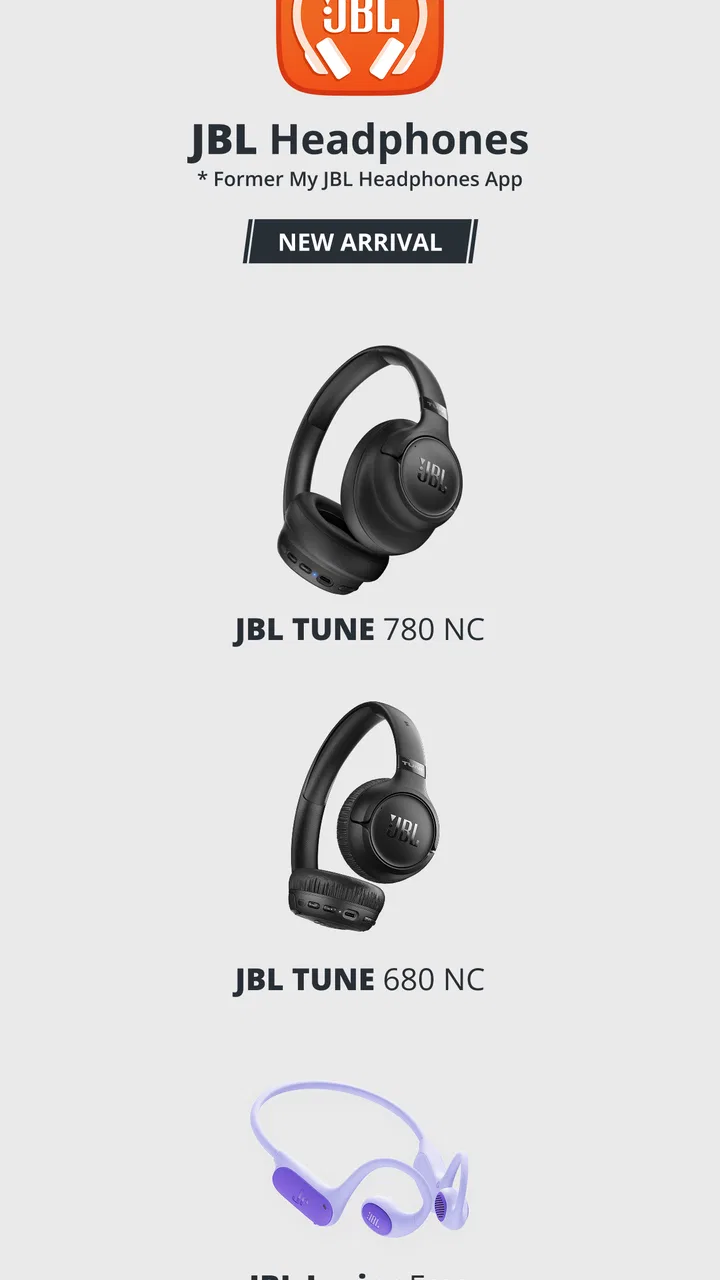
JBL Headphones
- 4.6
- Rating
- 10.00M
- Installs
- Free
- Price

 Analysis by App-foxy
When I first opened JBL Headphones, I treated it less like a music player and more like a control room for compatible JBL listening devices. That distinction matters. The app does not replace Spotify, Apple Music, YouTube Music, or your phone’s normal audio player; its value is in helping you adjust and manage the headphones or earbuds you already own. For someone buying a JBL audio product for the first time, it offers a more approachable way to understand what the hardware can do.
It is a free Music & Audio app from Harman Consumer, Inc., with an Everyone content rating. The app has been available since November 6, 2015, and its current version is 5.33.8 for devices running Android 7.0 or later. With an average rating of 4.6 from around 607 thousand ratings and over 10 million installs, it is clearly used by a large JBL audience rather than being an obscure companion utility.
What to expect before you install it
The most important expectation is simple: this is a companion app, not a general-purpose music service. I would install it when I want to get more from compatible JBL headphones, especially if I care about tuning sound, changing listening behavior, or checking device-related controls in one place. If you only want to play songs and never adjust your headphones, your phone’s Bluetooth menu may be enough.
You May Also Like

 Blood Strike: 2.5 Anniversary
Blood Strike’s Loadouts Turn Every Drop Into a Tactical Gamble
A close look at Blood Strike’s custom loadouts: how fast access to signature weapons reshapes its battle royale rhythm, rewards preparation, and narrows the gap between fights.

 Pandora - Music & Podcasts
Pandora’s Music Is Easy to Start, but Harder to Recover
Pandora’s strength is its low-effort path from a seed to a station. Its weak spot is how much confidence it asks you to place in connection, setup, and quiet recovery.

 8 Ball Pool
 Is Built on Rivalries, Rematches, and Routine
A close look at the rivalries, rematches, shared routines, and unanswered safety questions that turn a quick pool match into a persistent mobile community.

 Samsung Music
’s Quiet Strength Is Playing What You Already Own
Its reach comes less from spectacle than from dependable access to a personal library. That simplicity is both the app’s strongest retention engine and its ceiling.

 AccuWeather: Weather Radar
AccuWeather Review: A Quick, Clear Forecast for Everyday Decisions
For everyday plans, the best forecast is the one you can understand quickly. AccuWeather makes rain timing, radar, and local conditions easy to act on, with a few trade-offs.

 Hill Climb Racing
Why Hill Climb Racing Still Turns Crashes Into One More Run
A tiny car, a bumpy hill and one more upgrade: Hill Climb Racing keeps resurfacing because its simple chaos makes every near-miss feel personal.
More From Our News Desk
View All News


The experience depends heavily on the JBL model you connect. That is a practical limitation rather than a flaw. Different headphones expose different controls, so two people can install the same app and see somewhat different options. I would not assume that every feature shown in screenshots or discussed by another JBL owner will appear on my own device. The connected product is what determines the useful part of the experience.
I also found it helpful to think of the app as a bridge between basic Bluetooth pairing and deeper personalization. Bluetooth can get sound from the phone to the headphones, but it usually does not provide a comfortable place to manage the headphones themselves. JBL Headphones fills that gap. It gives the hardware a clearer identity and makes adjustments easier to find than a collection of taps in system settings.
That makes it especially suitable for people who have just purchased compatible JBL earbuds or headphones and are unsure whether they are using them properly. It is also useful for households where the same person switches between focused listening, commuting, calls, and casual background music. The app gives those situations a more deliberate starting point instead of leaving every setting at its default.
Who will get the most from it
I would recommend trying it if you want to personalize the sound rather than accepting the factory tuning. It is also a sensible choice if your headphones offer listening controls that are difficult to understand from the physical buttons alone. The visual layout can make the relationship between the headset and the phone feel less mysterious, particularly during the first few days of ownership.
On the other hand, I would skip it if you do not own a compatible JBL product. Installing a companion app without the matching hardware gives you little reason to keep it. I would also look elsewhere if your main goal is discovering music, building playlists, listening to radio, or managing podcasts. Those jobs belong to dedicated audio services, while this app is focused on the JBL device connected to your phone.
People who want extremely advanced audio production tools may also find the scope limited. This is not a replacement for a studio equalizer, a professional headphone measurement system, or a full audio-routing utility. Its strength is convenience: it puts everyday headphone adjustments close at hand without expecting the user to understand technical audio terminology.
Starting with the first setup
My advice for a first launch is to begin with the headphones themselves, not with the app. Charge the device, turn it on, and make sure it is ready to pair. If the headphones are still connected to another phone, tablet, or computer, disconnecting them first can prevent the kind of confusion that makes a simple setup feel broken. The app is easier to evaluate after the operating system already recognizes the JBL product.
Once the headphones are paired with the phone, open JBL Headphones and look for the connected product. The exact wording and available controls can vary by model, but the general workflow is straightforward: identify the device, allow the app to communicate with it, and then inspect the controls that become available. I prefer doing this while sitting somewhere quiet, because it is easier to notice whether a change affects the sound or listening behavior.
A useful first habit is to avoid changing several things at once. I initially recommend making one adjustment, listening to a familiar song for a minute, and then deciding whether the change is actually helpful. Familiar material is better than a new track because you already know where the vocals, bass, and high frequencies normally sit. This turns the setup into a small comparison rather than a guessing game.
It is worth checking the app after the headphones have been connected for a moment instead of tapping through it immediately after installation. Companion apps sometimes need the device connection to settle before all relevant controls appear. If the product is not recognized, I would first confirm Bluetooth pairing, move the headphones closer to the phone, close and reopen the app, and check whether another nearby device has taken over the connection.
That troubleshooting order is more useful than repeatedly reinstalling the app. A missing connection is often a relationship problem between the phone and the headphones, not evidence that the app itself is unusable. I also avoid pairing the same headphones with several devices during the first setup, because switching connections can make it difficult to tell which device is currently active.
The first meaningful success
The first action I would recommend is a small sound adjustment using a song you know well. This is more meaningful than simply confirming that the product name appears on screen. If the app presents audio personalization for your JBL model, make one modest change and compare it with the original sound. The goal is not to create a dramatic effect; it is to learn whether the adjustment makes your normal listening more comfortable.
For example, I might choose a familiar vocal track and listen for whether the voice remains clear when the low end becomes more prominent. If I increase bass and the song becomes tiring after a few minutes, that tells me more than a quick first impression. The best setting is not necessarily the most exciting one during a ten-second test. It is the one I can live with across a full commute, work session, or evening playlist.
This is one of the app’s less obvious benefits: it encourages a repeatable listening routine. Instead of changing settings randomly, I can use the same reference song, make one adjustment, and return later after my ears have had a break. That approach helps prevent the common mistake of choosing an overly strong sound profile simply because it seems impressive at first.
A realistic everyday example would be preparing for a train journey. Before leaving home, I would connect the JBL headphones, open the app, check that the correct device is active, and confirm the listening setup I want. I would then play a familiar track at a comfortable volume and make one final adjustment. Once outside, I would leave the app and use my normal music service. The companion app has done its job before the journey begins.
That separation between setup and playback is important. I do not expect JBL Headphones to organize my music library or become the place where I spend the entire listening session. I use it when I need the headphones to behave differently, then return to the audio app that actually contains my music. This keeps the workflow practical instead of forcing one app to do every audio-related task.
Common confusion and where the experience can slow down
The first source of confusion is assuming that the app controls every JBL product in the same way. It does not make a basic pair of headphones magically gain every feature associated with the brand. The connected model remains the deciding factor. If a control is missing, I would first consider whether the hardware supports it before blaming the application.
Another common misunderstanding is expecting changes made in the app to transform every source equally. Audio can pass through different phone, streaming, and system behaviors, and the result may not feel identical in every situation. I judge an adjustment with the actual content I normally consume: music, spoken audio, and calls can reveal different strengths and weaknesses. A setting that sounds pleasant with electronic music may make speech less natural.
I also think new users should be patient with the difference between a device connection and an app connection. The headphones may appear in the phone’s Bluetooth list while the app is still not ready to manage them. When that happens, I check whether the headphones are actively connected for media audio, then reopen the companion app. This simple distinction avoids a lot of unnecessary frustration.
There can also be friction when moving between devices. If I use the same headphones with a phone and a tablet, I need to pay attention to which device currently owns the connection. The app cannot make both devices behave as though they are the sole controller. For people who switch hardware constantly, a basic Bluetooth workflow may feel faster, while users who stay with one phone will probably find the companion setup more convenient.
Battery behavior is another reason to keep expectations realistic. I use the app to manage the listening device, but I do not treat it as a substitute for ordinary charging habits. Before a long trip, I still charge the headphones and test the connection. A companion app can make settings easier to reach, but it cannot remove the practical limits of wireless hardware.
The app’s large user base does not mean every user will love every update or layout decision. An average rating of 4.6 is encouraging, but my own experience is that companion apps are judged by a very personal question: does the app make my particular device easier to use? If the answer is yes, small interface annoyances are easier to tolerate. If I never touch the available controls, the extra app may feel unnecessary.
How it compares with the usual alternatives
The closest alternative is often no companion app at all. A phone’s Bluetooth settings are quicker for pairing, renaming a device, or disconnecting it. They are a better choice when I only need a basic connection and do not care about JBL-specific customization. The trade-off is that system settings usually do not present the headphone’s controls in a device-focused way.
General equalizer apps are another alternative, but they solve a different problem. A system-wide equalizer may affect more audio sources, yet it can be less predictable across phones and applications. JBL Headphones feels more appropriate when my priority is managing a compatible JBL product rather than experimenting with audio across every device. I prefer the dedicated app when I want a simpler, brand-specific workflow.
Music streaming apps remain essential companions, not competitors in the strict sense. Spotify, Apple Music, and similar services are designed around content, while JBL Headphones is designed around the listening hardware. I would not choose one instead of the other. I would use the JBL app to prepare the headphones and the streaming app to play the music.
Finally, some headphone brands offer broader ecosystems with extensive device management. Those may be more attractive to someone who owns products from one manufacturer across several categories. JBL Headphones makes more sense when the JBL device is the center of the setup. Its focused approach is a benefit for a JBL owner, but it is not a universal audio dashboard.
Practical tips for getting more from the app
My first tip is to create a personal baseline before changing anything. Listen to the same short section of a familiar song with the default setup, then make one adjustment. Write down mentally what improved and what became worse. This prevents the settings from turning into a collection of random experiments that sound different but never clearly better.
My second tip is to test spoken audio separately from music. Podcasts, video dialogue, and phone conversations expose clarity issues that a bass-heavy song may hide. If a setting makes music enjoyable but voices feel distant or muddy, I would reserve that setting for specific listening rather than treating it as the universal answer.
Third, I would use the app before leaving home, not while walking through a busy street or boarding transport. The controls are easier to understand when I can concentrate, and making changes in a noisy environment makes it harder to judge the result. A short preparation routine also reduces the temptation to keep adjusting the headphones during the day.
Fourth, I would revisit the setup after a week of normal use. First impressions often favor dramatic changes, while long-term comfort favors balance. After several commutes or work sessions, I can tell whether the chosen behavior is genuinely useful or merely interesting. This is especially valuable for anyone who tends to over-tune sound during the first launch.
Fifth, I would keep the app installed only if it earns its place. If I regularly adjust the headphones, check their controls, or use its device-specific options, the app is worthwhile. If I pair once and never open it again, removing it may make the phone simpler. The free price makes trying it easy, but free does not mean every user needs to keep it permanently.
For first-time owners, the reassuring part is that success does not require mastering every screen. Pair the JBL product, confirm that the app recognizes it, make one controlled change, and return to your usual music service. That is enough to understand the core benefit. Advanced exploration can come later, once I know what problem I want the app to solve.
My final view after using it as a companion tool
I see JBL Headphones as a useful layer between JBL hardware and everyday listening. It does not try to be a music library, and that focus works in its favor. When the connected product supports the controls I want, the app makes personalization less intimidating and gives me a clearer way to test what actually improves my listening.
Its limitations are equally clear. The experience follows the connected JBL model, switching between devices can interrupt the flow, and people who only need basic Bluetooth pairing may not gain much from installing another app. It also cannot replace a dedicated streaming service or a professional audio tool. Those are not reasons to dismiss it; they simply define the situations where it makes sense.
For a first-time JBL owner, I would install it, complete the setup in a quiet place, and judge it by one real improvement rather than by the number of menus it offers. If the headphones become easier to understand and more comfortable for your normal music, calls, or spoken audio, the app has justified itself. If your needs stop at connecting and pressing play, the phone’s built-in controls may be the cleaner choice.
Overall, this free companion app is a sensible recommendation for compatible JBL users who want more control without entering a complicated audio ecosystem. Harman Consumer, Inc. has kept the purpose clear: help the headphones fit the listener better. For me, that makes it worth trying, provided I remember that the hardware comes first and the app’s usefulness is tied to the particular JBL device in my hands.
FAQs for JBL Headphones
01How do I connect my JBL headphones to my device?
To connect your JBL headphones, ensure they are in pairing mode by pressing and holding the power button until the LED light begins to blink. On your device, go to Bluetooth settings and select your JBL headphones from the list. Once connected, the LED light will stop blinking.
02Are JBL headphones compatible with both Android and iOS devices?
Yes, JBL headphones are designed to be compatible with both Android and iOS devices. They connect via Bluetooth, making them versatile and easy to use with smartphones, tablets, and even some smart TVs and laptops. Just ensure your device has Bluetooth capabilities.
03What is the average battery life of JBL headphones?
The battery life of JBL headphones varies by model, but most offer around 15 to 30 hours of playtime on a full charge. Some models also feature quick-charge technology, providing several hours of use from just a short charging session, ideal for on-the-go users.
04Do JBL headphones have noise-canceling features?
Many JBL headphone models come with active noise-canceling (ANC) features, which help reduce ambient noise for a more immersive listening experience. This is particularly useful in noisy environments like airplanes or busy offices. Check the specific model to see if ANC is included.
05Can I use JBL headphones for making phone calls?
Yes, JBL headphones are equipped with built-in microphones, allowing you to make and receive phone calls. The call quality is generally clear, and some models offer advanced features like voice assistant integration, which can enhance your calling experience.
Pros
- Excellent sound quality with deep bass.
- Customizable EQ settings via the app.
- Comfortable fit for extended use.
- Stable Bluetooth connectivity.
- Long-lasting battery life.
Cons
- Limited compatibility with older devices.
- App interface can be confusing.
- Noise cancellation not adjustable.
- Requires frequent firmware updates.
- Limited color options available.

JBL Headphones
Gallery